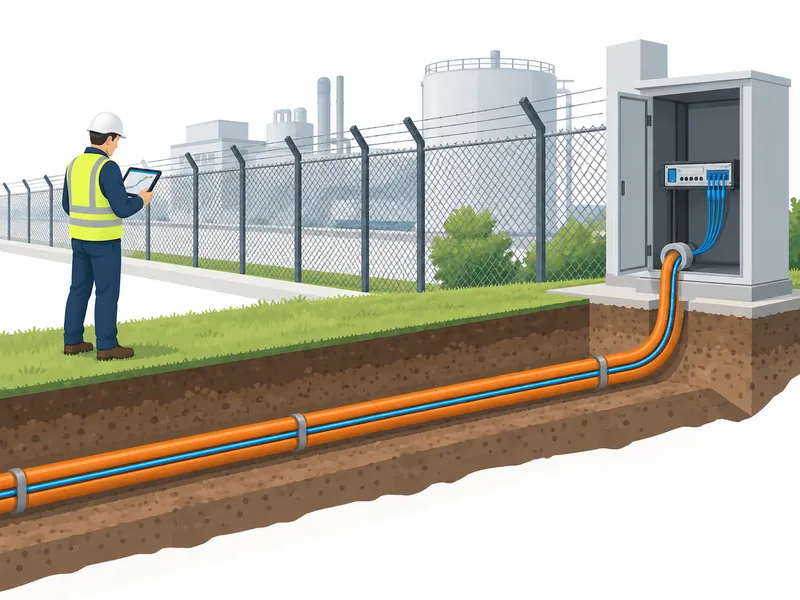
Existing Fiber for DAS: Qualifying a Perimeter Sensing Route
Can existing fiber support DAS? Assess spare cores, optical loss, cable coupling and route coverage before committing to a perimeter security retrofit.

Can existing fiber support DAS? Assess spare cores, optical loss, cable coupling and route coverage before committing to a perimeter security retrofit.
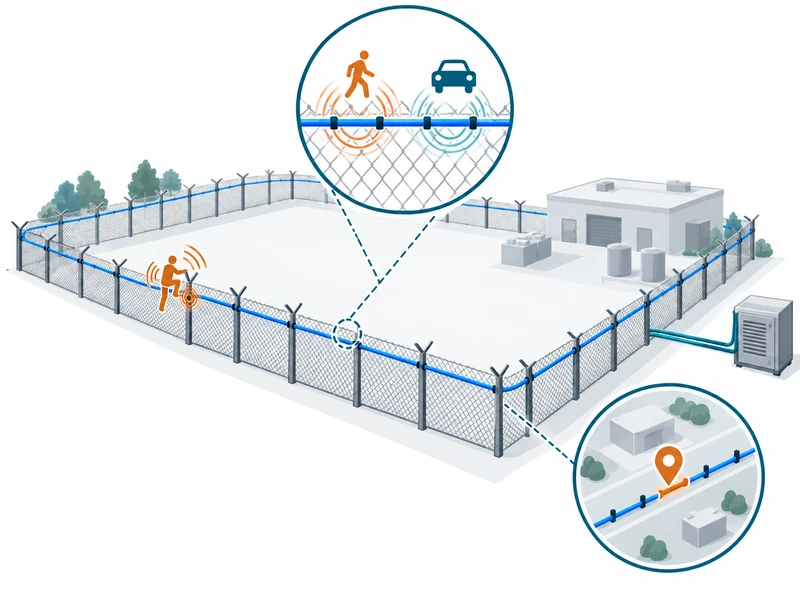
Understand DAS range, spatial resolution, gauge length and location accuracy. Learn which specifications to compare and how to verify them on your perimeter.
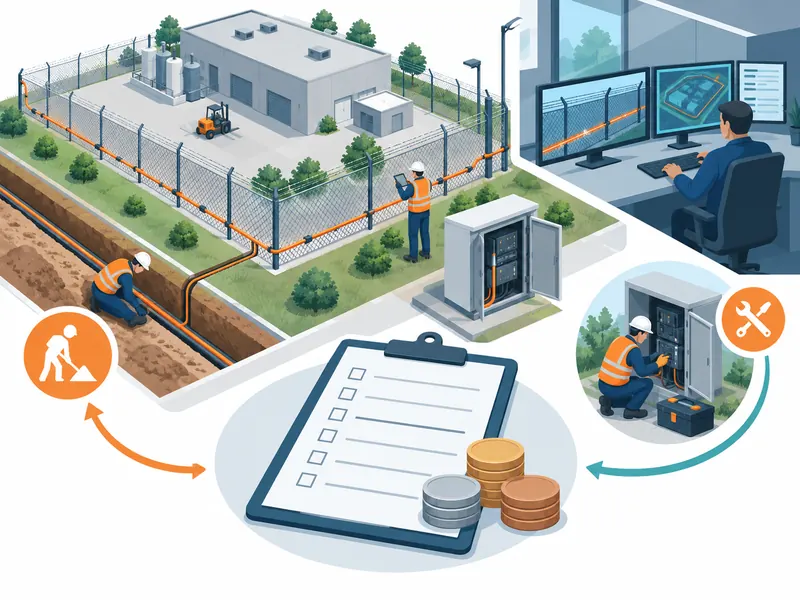
Build a realistic DAS perimeter security budget. Compare equipment, installation, integration, acceptance testing and operating costs using a clear scope.
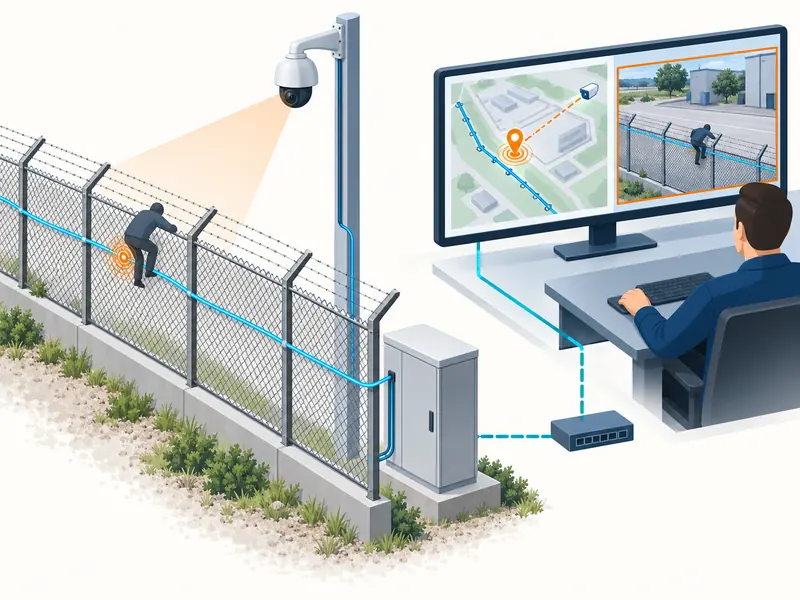
Plan DAS integration with CCTV, VMS and GIS. Define alarm data, camera mapping, interface compatibility and acceptance tests for a usable control-room workflow.
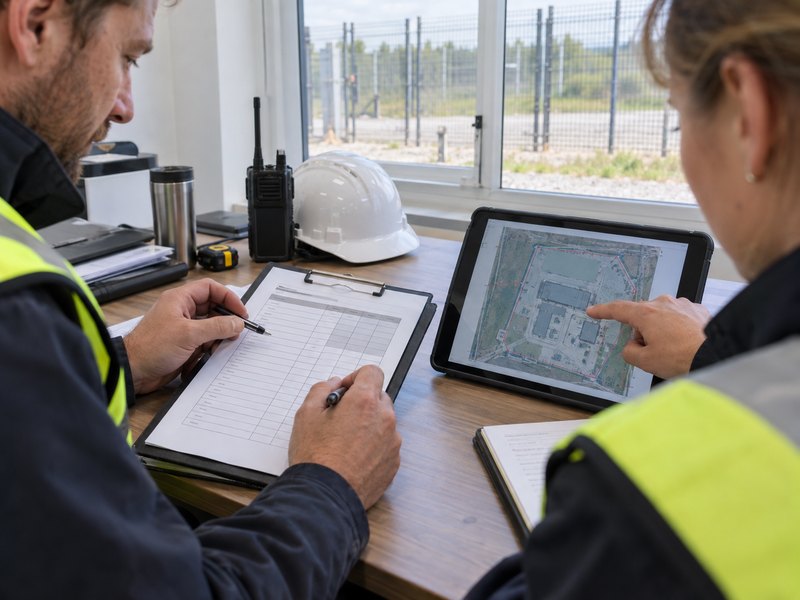
A perimeter alarm sounds during a demonstration. The camera turns, a marker appears on the map, and everyone agrees the equipment works. That is a useful start, but it leaves an important question unanswered: will the same installation perform consistently across the boundary, with the settings and staffing the site will actually use? A site acceptance test (SAT) gives the owner evidence to answer that question. For a Perimeter Intrusion Detection System, acceptance should cover detection, location, alarm delivery, video verification and fault handling. A successful demonstration at one convenient fence panel tells you very little about the rest of the site. Agree on Acceptance Criteria Before Testing The most expensive time to discover an ambiguous specification is when the installation is complete. “Fast response” and “low false alarms” sound reasonable, but neither tells the acceptance team what to measure. Define the required outcomes before the witnessed tests begin, ideally during procurement. The NPSA guidance on PIDS commissioning supports testing the installed system against its specification, including integrated functions. The following checklist is not a certification program or a replacement for project requirements; rather, it provides a useful planning framework. Acceptance item What to agree in advance Evidence to retain Detection Required scenarios, locations and repetitions Successful detections and all unsuccessful attempts Alarm location Zone identification or permitted position error Actual test point versus reported location Response time Start event and endpoint for each measurement Synchronized timestamps or recorded test video Video verification Required view, lighting and image detail Event-linked image or video reference Unwanted alarms Classification, counting rules and observation period Event log with causes and operating conditions Fault handling Required behavior during power, cable or network faults Fault notifications and recovery records Avoid accepting a vendor’s percentage without its denominator. Ten successful trials demonstrate what happened in those ten trials; they do not establish a universal detection probability. Likewise, a quiet afternoon cannot establish year-round performance in wind, rain and changing vegetation. For example, an owner might require a perimeter alarm to appear at the monitoring desk within an agreed interval, followed by a camera view suitable for confirmation. That creates two measurable obligations. If the detector passes and the video fails, the record should show both outcomes. Combining them into a single “system passed” box hides the part that needs attention. Keep the criteria specific enough that another acceptance team could repeat the test and reach the same decision from the recorded evidence. Prepare the Site and Freeze the Configuration Acceptance testing should begin after installation checks and initial tuning. Otherwise, the witnessed session becomes a troubleshooting workshop, and nobody knows which configuration produced the final results. For a fiber optic intrusion detection system, confirm that the route, protected structures and map references match the installation records. Before the first test, check these essentials: Confirm approved drawings, zone names and accessible test locations. Inspect cable attachments, enclosures, gates and repaired fence sections. Record hardware models, firmware, thresholds, filtering settings and bypasses. Synchronize clocks across the detector, management platform and recording system. Assign a field tester, control-room observer and acceptance witness. Agree on test permissions, safe simulations and temporary operating restrictions. Use the F7 installation and commissioning guide for installation preparation. The SAT record serves a different purpose: documenting whether the completed installation meets the owner’s requirements. Any setting changes during testing should be recorded, with affected tests repeated afterward. Test Representative Conditions Along the Boundary Convenient locations tend to produce convenient results. A straight, well-tensioned fence near the equipment room may behave differently from a gate, a repaired panel or a section beside a busy road. Build the test matrix around changes in structure and environment, rather than selecting points only at equal distances. Include representative fence types, corners, gates, transitions and locations near ordinary sources of disturbance. Repeat the specified scenarios at different points within each relevant zone. For buried detection, select scenarios appropriate to the sensing technology and ground conditions; fence-mounted performance does not demonstrate underground coverage. Test group Practical check What the observer records Intrusion scenarios Approved climb, cut-related or digging simulations where applicable Detection result, event type and test location Boundary transitions Gates, corners and changes in fence construction Coverage consistency and correct zone assignment Routine activity Authorized access, nearby traffic and permitted maintenance Expected behavior and any unwanted alarms Multiple events Two separated test events within an agreed interval Both alarms, event order and verification availability Night operation Repeat selected scenarios using normal lighting Usable camera view and operator confirmation A gentle tap is useful for checking signal presence and mapping, but it should not replace the agreed intrusion scenarios. The physical action, duration and method need to be reproducible. Where destructive testing is unsuitable, agree on the simulation and its limitations before the session. Follow the Alarm Through to the Operator Measure the sequence the site depends on: physical event, detector decision, platform notification, camera availability and operator acknowledgment. Record these separately. A quick detector response can still lead to slow verification if the camera is moving, the network is congested or the event description is unclear. When testing perimeter alarm management and video linkage, use the workstation and user permissions planned for normal operation. An administrator’s laptop may show functions unavailable to the guard who receives the alarm overnight. Check whether the displayed zone name guides a patrol to the right place. Confirm that the linked camera shows the relevant fence section and produces a usable image under normal illumination. If two alarms compete for one PTZ camera, record which view appears first and how the second event remains available for review. I would treat an alarm that cannot be located or verified as an open acceptance issue, even when the sensor detected it correctly. The owner’s useful output is an event that staff can assess and act on. Acceptance criteria should reflect that operational responsibility. Observe Unwanted Alarms Without Hiding Missed Detection Intrusion trials and unwanted-alarm observation need separate records. One measures performance during planned events; the other examines behavior during ordinary operation.
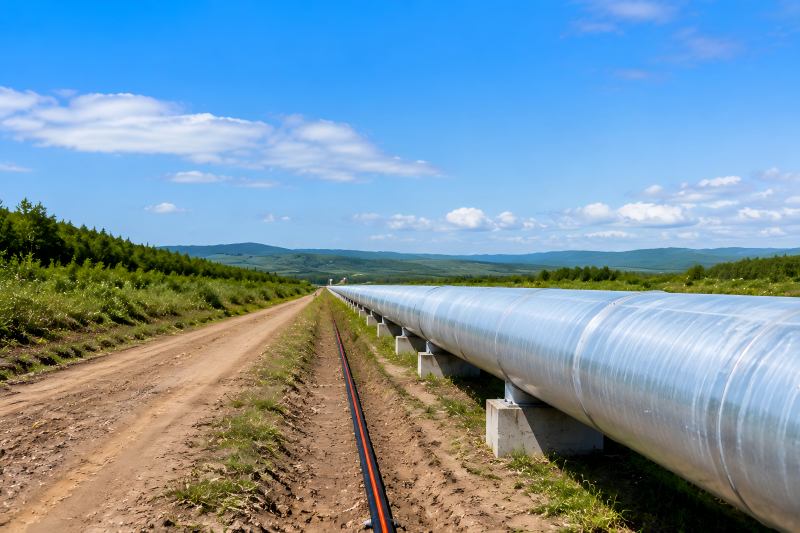
Distributed Acoustic Sensing (DAS) is widely used for long-distance pipeline and perimeter security monitoring. By turning optical fiber into a continuous sensing medium, DAS can detect vibration events and identify their locations along the monitored route. However, choosing a DAS system is not only about detection range. Engineers and system integrators need to consider installation conditions, detection requirements, false alarm control, and system integration. Understand the Actual Security Objective Before Selecting DAS The first step in DAS selection is understanding what the system is expected to achieve. Different projects have different security priorities. For example: An oil pipeline project may focus on detecting excavation activities. An airport may require continuous perimeter monitoring. A solar farm may need protection against unauthorized access. An industrial facility may focus on fence climbing and cutting attempts. Although all these applications use DAS technology, the system configuration and installation strategy may be different. Application Main Security Concern Important DAS Capability Oil & gas pipeline Excavation and third-party interference Long-distance monitoring and accurate location Airport perimeter Unauthorized entry Continuous boundary protection Industrial park Fence climbing and cutting Vibration classification Railway corridor External interference Event detection along long routes From an engineering point of view, selecting DAS should start with the threat model, not the product specification sheet. A common mistake is purchasing a high-performance system without considering whether it matches the actual environment. Evaluate Detection Distance Based on Real Project Conditions Detection distance is one of the most visible DAS specifications. Many DAS systems are designed for long-distance applications, with some solutions supporting tens of kilometers of sensing coverage. Certain systems can provide extended monitoring ranges while maintaining event positioning capabilities. However, engineers should understand that maximum distance is not always equal to maximum practical performance. Several factors influence the actual usable range: Fiber type Installation method Environmental noise Required positioning accuracy Detection target For example, a pipeline crossing a quiet rural area may achieve better performance than the same system installed near highways or industrial facilities. Consider Positioning Accuracy, Not Only Alarm Detection For perimeter security applications, detecting an event is only the first step. The more important operational question is: Where exactly did the event happen? A security team cannot efficiently respond to an alarm without accurate location information. For large infrastructure projects, positioning accuracy directly affects response efficiency. Positioning Accuracy Operational Impact Low accuracy Longer investigation time Medium accuracy Requires additional verification High accuracy Faster response and easier event handling When selecting DAS, system integrators should evaluate positioning accuracy together with detection distance. A long-range system without useful location information may not provide the expected security value. Analyze False Alarm Management Capability In real security projects, false alarms are often one of the biggest challenges. A DAS system is designed to detect vibration. However, not every vibration represents an intrusion. Environmental factors may include: Heavy vehicles Rain Wind Construction activities Nearby machinery Animal movement A technically sensitive system is not necessarily a better security system. The objective is not to detect every vibration from an engineering standpoint. The goal is identifying meaningful threats while maintaining operational reliability. Therefore, DAS selection should consider: Signal processing capability Event classification Environmental adaptation Alarm filtering functions Some DAS solutions support intelligent analysis methods to distinguish intrusion events from normal environmental disturbances, helping reduce unnecessary alarms. Select the Correct Installation Method The same DAS system can perform differently depending on how the fiber is installed. Common installation methods include: Buried underground Installed along pipelines Mounted on fences Integrated with existing infrastructure Each method has different engineering requirements. Buried Fiber Installation Buried fiber is commonly used for pipeline protection. Advantages: Hidden deployment Difficult for intruders to identify Suitable for long-distance monitoring However, engineers need to consider: Soil conditions Burial depth Distance from protected assets Construction quality Fence-Mounted Installation Fence installation is often used for airports, industrial parks, and restricted facilities. The system needs to identify: Fence climbing Cutting attempts Physical impact The fiber installation method affects how vibration energy is transferred to the sensing cable. Therefore, installation design should be considered during the early project stage. Check System Reliability and Fiber Protection Features For critical infrastructure projects, system reliability is essential. A DAS system may monitor important areas where security cannot stop because of a single failure. Engineers should evaluate: Fiber break protection Network redundancy Communication reliability Environmental protection For example, some long-distance DAS systems provide dual-channel configurations designed to maintain operation even when fiber damage occurs. This type of feature becomes especially important for: Pipeline networks Remote industrial facilities Large perimeter projects A security system should not only detect threats but also remain operational under abnormal conditions. Evaluate Integration Capability With Existing Security Systems DAS is usually not a standalone security solution. In professional projects, it normally works together with: Video surveillance systems Access control systems Security management platforms GIS mapping systems For system integrators, compatibility is a key selection factor. The important questions include: Can alarms be displayed on existing platforms? Can operators quickly associate alarms with cameras? Can the system support centralized management? A good DAS solution should fit into the customer’s existing security architecture instead of creating an isolated system. Consider Scalability for Future Expansion Infrastructure projects often expand after initial deployment. For example: A pipeline network may extend to additional areas. An industrial park may add new boundaries. An airport may expand its protected zone. Therefore, DAS selection should consider future scalability. Important factors include: Consideration Why It Matters Modular design Easier system expansion Multiple detection zones Flexible management Software scalability Supports future requirements Integration capability Avoids replacing existing systems Choosing a system only based on current requirements may create limitations later. What Should System Integrators Focus on When Selecting DAS? For security contractors and system integrators, technical specifications are only part of the evaluation. A successful DAS project also depends on: Engineering Support Large perimeter projects require professional planning. Important support includes: Site evaluation Installation guidance Configuration assistance Testing support Application Experience A DAS system used for a pipeline may have different
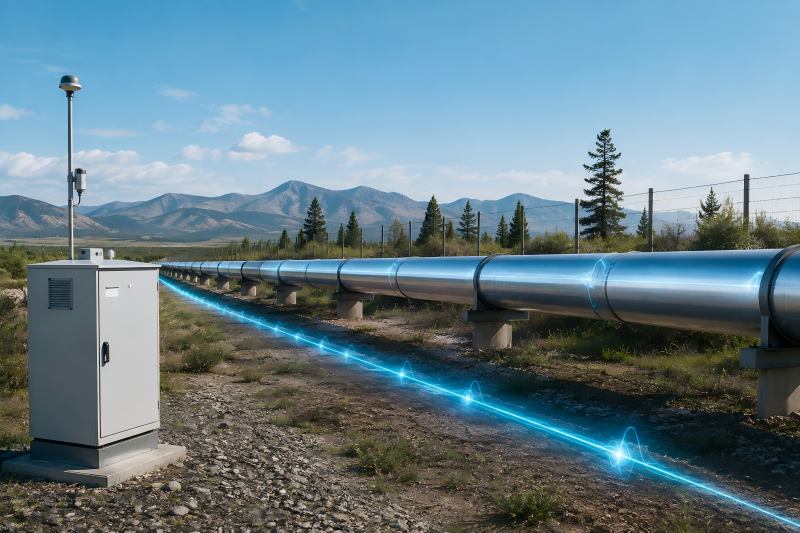
Pipelines often cross remote and complex environments, making long-distance security monitoring challenging. Traditional methods such as patrols, CCTV, and point sensors are useful but difficult to scale for extensive pipeline networks. Distributed Acoustic Sensing (DAS) transforms optical fiber into a continuous sensing system to detect vibration events along the route. Rather than replacing all technologies, DAS provides a reliable solution for projects requiring wide-area coverage, early warning, and reduced maintenance. Distributed Acoustic Sensing in Pipeline Security: What Is It? A fibre optic sensing technique called distributed acoustic sensing (DAS) uses an optical fibre connection to detect vibration and acoustic changes. In a conventional security system, each sensor represents a fixed detection point. For example, a vibration sensor installed on a fence only monitors the area around that specific location. For long-distance pipeline protection, this approach creates several challenges: More sensors are required as distance increases Communication and power infrastructure become more complicated Maintenance becomes difficult in remote areas Coverage gaps may appear between sensors DAS takes a different approach. The sensing component is the optical fibre. Laser pulses are sent through the fibre by a DAS interrogator, which then examines the backscattered light signals. The fiber’s optical properties alter in response to external vibration, which enables the system to pinpoint the disturbance’s position and characteristics. For pipeline security applications, DAS can detect activities such as: Unauthorized excavation Personnel approaching restricted areas Vehicle movement near pipeline routes Mechanical interference Ground disturbance The important difference is that DAS does not monitor several separate points. It monitors the entire fiber route as a distributed sensing area. Monitoring Method System Characteristics Engineering Consideration Point-based sensors Multiple sensors installed at fixed locations More equipment and maintenance points CCTV monitoring Visual confirmation at selected locations Limited coverage in remote areas DAS technology Continuous sensing along optical fiber Requires proper fiber installation and signal configuration Why Pipeline Operators Are Considering DAS Technology From a project engineering perspective, the biggest advantage of DAS is not simply its detection distance. The more important benefit is reducing the complexity of monitoring large infrastructure corridors. For example, protecting a short industrial perimeter may be easily achieved with cameras and electronic sensors. However, protecting a 50 km pipeline section introduces completely different challenges. Engineers need to consider: How many devices are required? How will each device receive power? How will maintenance teams access remote locations? How can alarm information be transmitted and managed? DAS changes the system architecture by moving much of the sensing function into the fiber itself. This creates several practical advantages. Continuous Monitoring Along Long Routes Pipeline risks do not occur only at predefined points. A security system installed every few hundred meters may miss activities occurring between detection units. DAS provides continuous awareness along the fiber route, allowing operators to identify events wherever they occur. Reduced Field Equipment Requirements For remote pipeline projects, reducing field equipment is often a major consideration. Every additional outdoor device introduces potential maintenance requirements: Weather exposure Power failure risks Communication problems Physical damage Using fiber as the sensing medium reduces the number of active devices deployed along the pipeline. Suitable for Remote Environments Many pipelines operate in locations where regular inspection is expensive. Because optical fiber does not require electrical power along the sensing section, DAS can be deployed in areas where installing powered sensors would be difficult. How DAS Detects Pipeline Security Events Understanding how DAS works helps explain why installation quality and system configuration are so important. 1. Optical Transmission of Pulses Laser pulses are sent via the fibre by the DAS interrogator. The fiber can be installed: Alongside pipelines Inside protective conduits Underground near pipeline routes The installation method depends on the project requirements. From an engineering perspective, the fiber layout is not only a construction decision. It directly affects detection performance. 2. Vibration Signal Collection When external activities occur near the pipeline, they create mechanical vibrations. Examples include: Digging with heavy equipment Walking near the pipeline route Vehicle movement Ground impact These vibrations influence the optical signals traveling through the fiber. The DAS system measures these changes and converts them into usable information. 3. Event Classification and Alarm Analysis In real projects, detection capability alone is not enough. Pipeline environments naturally contain many sources of vibration. For example: Nearby road traffic Agricultural activities Weather conditions Industrial machinery Therefore, DAS systems need signal processing methods to distinguish between different vibration patterns. Event Type Typical Characteristics Human movement Repeated low-frequency vibration Excavation activity Strong repetitive mechanical impact Vehicle movement Longer continuous vibration pattern Environmental noise Irregular background signals The engineering goal is not maximum sensitivity. Finding a workable compromise between false alarm reduction and detection performance is the aim. Engineering Considerations Before Deploying DAS Although DAS provides significant advantages for pipeline protection, successful deployment depends heavily on engineering design. Fiber Installation Is Critical A common misunderstanding is that DAS performance mainly depends on the sensing equipment. In reality, fiber installation conditions can have a major influence. Factors that engineers need to evaluate include: Burial depth Soil characteristics Distance between fiber and pipeline Mechanical protection Environmental conditions For example, a fiber installed too far from the vibration source may reduce signal strength. A poorly protected fiber route may increase maintenance risks. Therefore, DAS projects should be designed based on the physical environment, not only equipment specifications. False Alarm Management Should Be a Priority During pipeline security projects, reducing false alarms is often more important than achieving the highest possible sensitivity. A system that generates frequent unnecessary alarms creates operational problems: Security teams lose confidence Response resources are wasted Important alarms may be ignored Experienced engineers usually configure DAS based on the actual environment. A pipeline located near a highway requires different settings compared with a pipeline crossing a remote desert area. DAS Compared With Other Pipeline Monitoring Technologies DAS is powerful, but it is designed for specific monitoring requirements. Different technologies address different pipeline risks. Technology Main Function Typical Use DAS Detects external vibration events Intrusion detection and excavation monitoring DTS Detects
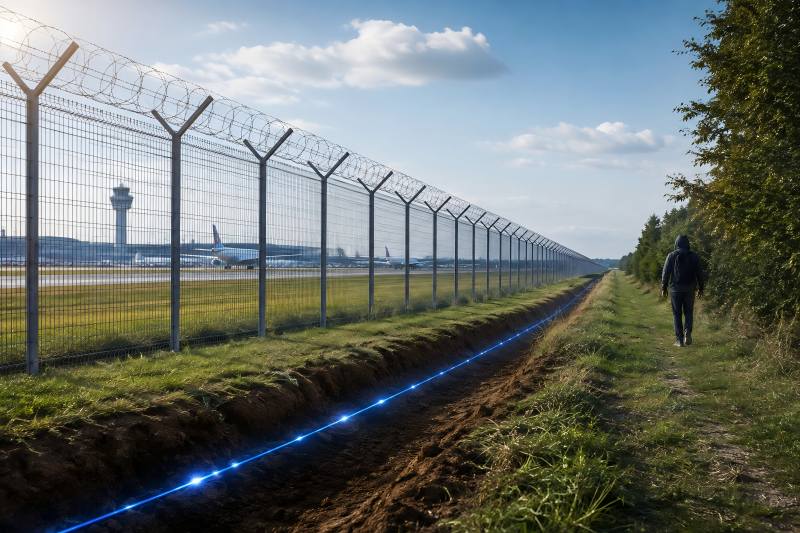
Distributed acoustic sensing, commonly abbreviated to DAS, measures how vibration deforms a light-carrying fiber at successive positions along a cable. A device called an interrogator sends laser pulses into the fiber and analyzes returning light to identify changes caused by mechanical disturbances. This allows one fiber to provide measurements at many locations along its route. The word “distributed” describes how sensing takes place along the fiber, rather than only at separate, individually installed sensors. Depending on the system and installation, DAS can support monitoring across kilometers of infrastructure. For engineers and asset owners, the practical questions are straightforward: what can the system detect, where can it work, and what determines whether its measurements become useful information? How Does Distributed Acoustic Sensing Work? DAS uses changes in backscattered light to detect disturbances and locate them along a fiber. Most conventional DAS systems use Rayleigh backscattering, which occurs naturally as light travels through the glass. The process has four main stages: Transmit light. The interrogator launches laser pulses into the optical fiber. Collect backscatter. Microscopic variations in the glass scatter a small portion of the light back toward the instrument. Measure changes. Vibrations stretch or compress the fiber slightly, changing the returning optical signal. Phase-sensitive systems analyze these changes to recover dynamic strain information. Locate the disturbance. The return time identifies the corresponding position along the fiber. This optical measurement process produces vibration data. Application software then analyzes patterns to detect events and, where supported, classify their likely cause. For example, climbing a fence can transfer mechanical vibration into an attached sensing cable. A security system can analyze that disturbance, assign it a location, and generate an alarm if it meets the configured detection criteria. Which Components Turn Fiber Measurements into Usable Information? A DAS installation combines optical measurement hardware, sensing fiber, and software. In security applications, alarm management and connections to other systems turn the measurements into an operational response. Component Role DAS interrogator Sends optical pulses, receives backscatter, and converts the optical response into measurement data Sensing fiber and cable Carries light and receives strain from the surrounding environment or monitored structure Optical connections Connectors, splices, and lead-in sections connect the sensing route to the interrogator Signal processing Extracts useful vibration information and reduces unwanted signal effects Event detection and classification Identifies relevant activity using configured rules, signal features, or trained models Management software Displays events, stores records, and supports alarms or integration with other platforms The sensing fiber can operate without an electrical supply along the monitored route. The interrogator, processing equipment, network devices, and cameras still require power. For a security operator, the useful output may be an event location and an associated video view. A research installation may instead require continuous acoustic measurements for further analysis. These different outputs influence system configuration and data-storage requirements. Does DAS Require Special Fiber Optic Cable? Not necessarily. For numerous DAS instruments, ordinary telecom-grade optical fiber provides a suitable sensing medium. Existing fiber may be reusable when its type, optical condition, access arrangements, and route suit the application. Single-mode fiber is widely used. An unused strand within a communications cable—often called dark fiber—can provide a sensing path without using the strands carrying communications traffic. Using an active communications strand requires a compatible design and specific validation. Optical compatibility is only part of the assessment. The cable must also receive useful vibration from the area being monitored. Before reusing a cable, check: Route: Does it pass close enough to the target events? Optical condition: Are attenuation, splices, and connections acceptable for the selected equipment? Mechanical coupling: How effectively does vibration reach the fiber? Installation: Is the cable buried, attached to a fence, or installed within a duct? Access and maintenance: Can the required fiber be connected, tested, and repaired? A cable can transmit light successfully while providing weak sensing performance for a particular event. Before selecting or reusing a sensing route, review the optical and installation checks in our DAS deployment requirements guide. What Can Distributed Acoustic Sensing Detect? DAS detects disturbances that produce measurable strain in the fiber. Event-recognition software can then interpret those measurements for a particular application. In perimeter and infrastructure monitoring, possible targets include: Event How vibration can reach the fiber Walking near buried cable Footsteps transmit vibration through the ground Fence climbing Movement deforms and vibrates the fence Fence cutting Cutting or impacts create mechanical disturbances Vehicle movement Ground vibration reaches a nearby sensing route Excavation Manual digging or machinery generates repeated disturbances Tampering with infrastructure Impacts or movement couple into an attached or nearby cable These are potential detection scenarios, not guarantees for every installation. FEBUS, for example, evaluates different fence and buried-cable configurations because installation conditions affect the measured response. Detection and identification should also be evaluated separately. A system may register a disturbance without reliably determining its cause. Useful event classification depends on signal quality, the surrounding activity, and how the detection software has been configured and validated. How Far Can DAS Monitor, and How Accurate Is It? DAS can monitor long fiber routes, but the usable distance depends on the equipment, optical losses, measurement settings, and required signal quality. Some commercial systems offer monitoring beyond 100 kilometers under specified conditions. That figure describes distance along the fiber, not a detection radius around it. Several specifications need to be distinguished: Term Meaning Sensing range The length of fiber that can be monitored under stated conditions Channel spacing The distance between successive reported measurement positions Gauge length The fiber interval over which a strain measurement is made Spatial resolution How closely spaced two disturbances can be while remaining distinguishable in the measurement Location accuracy How closely a reported event position matches its actual position Channel spacing and gauge length describe different aspects of the measurement. For example, Silixa explains that its iDAS measurements use a window defined by gauge length, while channel spacing determines the positions at which measurements are reported. When comparing systems, request definitions and test conditions for each quoted specification. A
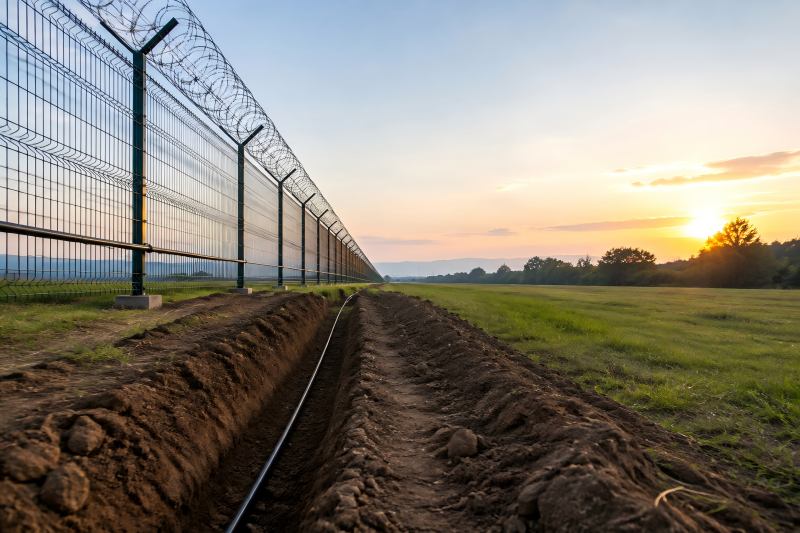
Distributed Acoustic Sensing (DAS) offers a new approach to comprehensive perimeter security. Unlike traditional sensors with limited detection points, DAS uses optical fiber as a continuous sensing network, enabling long-distance monitoring, accurate intrusion detection, and reduced false alarms across critical sites. What Is a Distributed Acoustic Sensing System? A distributed acoustic sensing system is a fiber optic sensing technology that detects acoustic signals and mechanical vibrations along an optical fiber. Unlike traditional sensors that have a physical detection point, DAS treats the entire fiber cable as a sensor. When external activity creates vibration near the fiber, such as: Walking near a buried cable Cutting a fence Climbing a barrier Vehicle movement Digging activities the vibration slightly changes the light transmission characteristics inside the fiber. The DAS interrogator analyzes these changes and determines: Where the event happened When it happened What type of activity it may represent This technology is based on optical sensing principles, where laser pulses are transmitted through the fiber and changes in backscattered light are analyzed to identify disturbances. From a security engineering perspective, the most important difference is not the sensing principle itself. The key advantage is that the detection area moves from individual sensors to the entire fiber route. How Does DAS Work in Perimeter Security? A complete DAS perimeter security system usually consists of three main components: 1. Fiber Optic Sensing Cable The fiber cable is the actual sensing medium. It can be installed in accordance with the needs of the site: Along fences Underground Around restricted zones Near pipelines or infrastructure routes The fiber itself does not require a power supply along the detection line, which makes it suitable for large and remote areas. 2. DAS Interrogator Unit The interrogator is the core processing device. It sends optical signals into the fiber and receives reflected signals. The system continuously compares signal changes and identifies abnormal vibration patterns. For security applications, the interrogator does more than detect vibration. A practical DAS system must distinguish between meaningful threats and normal environmental activities. For example: A person walking near a perimeter creates a different vibration pattern compared with: Heavy rain Strong wind Small animals Nearby traffic Without effective signal analysis, even a highly sensitive system may generate too many alarms. 3. Security Management Platform In real projects, DAS is rarely used as an isolated system. A professional perimeter protection solution normally integrates DAS with: CCTV cameras Video management systems Access control systems Security operation platforms The purpose is simple: DAS provides early detection. Cameras provide visual verification. Security personnel make the final response. Generally speaking, this multi-layered strategy is more useful than depending just on one technology. Techniques for Installing DAS for Perimeter Security One of the reasons DAS is widely used in critical infrastructure security is its flexibility in installation. Different environments require different deployment strategies. 1. Buried Fiber Optic Installation Buried fiber installation is commonly used for high-security areas where early detection is required before an intruder reaches the physical boundary. The fiber cable is installed underground around the protected area. It can detect: Footsteps Digging attempts Vehicle approach Ground vibration This installation technique is particularly appropriate for: Airports Military facilities Border areas Power plants One important engineering consideration is installation depth. If the cable is too shallow, environmental noise may increase. If it is too deep, sensitivity may decrease. Therefore, successful deployment requires testing the soil condition, surrounding environment, and expected threat type. 2. Fence-Mounted Fiber Installation For sites with existing perimeter fences, installing fiber on the fence structure is often a practical solution. The system can detect: Fence climbing Cutting attempts Physical impact Tampering activities Compared with traditional fence vibration sensors, fiber optic systems have advantages because they are passive sensing devices and can cover longer distances. However, fence installation also creates another engineering challenge. The fence itself is affected by: Wind Loose structures Mechanical vibration Therefore, the system configuration must consider local environmental conditions to maintain reliable detection. 3. Pipeline and Linear Infrastructure Protection DAS technology is also suitable for protecting long linear assets. Examples include: Oil pipelines Gas pipelines Power transmission routes Communication cables For these applications, traditional security methods are often impractical. Installing cameras along hundreds of kilometers of infrastructure would create huge costs and maintenance difficulties. DAS provides a more scalable solution by using fiber as a continuous monitoring line. Key Advantages of Distributed Acoustic Sensing System 1. Long-Distance Monitoring Capability The biggest advantage of DAS is coverage. A single system can monitor long fiber routes without installing hundreds or thousands of individual sensors. This makes it suitable for large-scale infrastructure where traditional point sensors become expensive and difficult to maintain. 2. No Blind Spots Along the Fiber Route Traditional sensors usually monitor specific locations. If an intrusion happens between two sensors, detection may be delayed. DAS works differently. Every section of the sensing fiber becomes part of the detection area. This creates continuous monitoring along the protected route. 3. Resistance to Electromagnetic Interference Because DAS uses optical fiber instead of electrical signal transmission, it is naturally resistant to electromagnetic interference. This is important for applications such as: Power stations Industrial facilities Railway environments where electrical equipment may create strong interference. 4. Real-Time Alarm and Location Information For security teams, knowing that an intrusion occurred is not enough. They also need to know: Where it happened How serious it is What response is required A well-designed DAS system can provide event location information, helping operators quickly verify and respond. Practical Challenges When Deploying DAS Systems Although DAS provides significant advantages, it is not a solution that can simply be installed and expected to work perfectly. From an engineering perspective, several factors determine system performance. Environmental Noise Management The biggest challenge is not detecting vibration. The challenge is understanding vibration. A good DAS system must separate threats from normal environmental activities. For example: A highway near the perimeter may create continuous vibration. A construction area may produce irregular noise. Wildlife may trigger underground movement signals. Therefore, proper configuration,
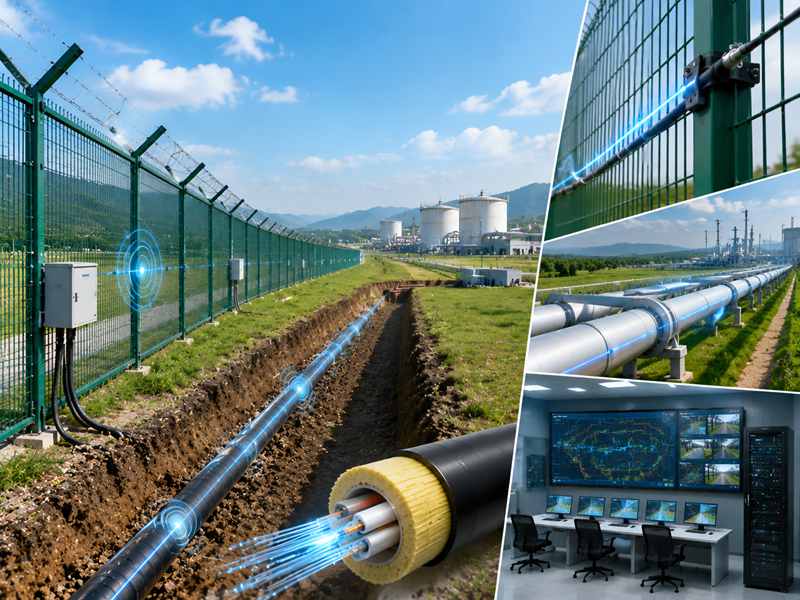
Optical-fiber Distributed Acoustic Sensing (DAS) perceives vibrational and acoustic disturbances, supporting round-the-clock monitoring for security protection and infrastructure supervision. Installation precision dominates DAS operating effects, calling for appropriate fiber types, layout schemes, environmental compatibility and bespoke sensing configurations. Fiber Cable Selection and Structural Requirements The sensing fiber structure determines vibration transmission efficiency, signal stability, and long-term performance under different operating conditions. Outdoor security applications require durable cables to withstand moisture, impact, pressure, and environmental changes while maintaining detection sensitivity. Key cable selection factors include: Fiber mechanical strength Protective layer structure Waterproof capability Bending resistance Environmental adaptability Fiber Cable Type Suitable Application Main Installation Requirement Standard Optical Fiber Indoor and controlled environments Requires stable conditions with limited mechanical stress Armored Fiber Cable Outdoor security and industrial areas Provides additional protection against impact and pressure Buried Sensing Cable Underground monitoring applications Requires stable underground positioning and protection Custom Fiber Cable Complex project environments Designed according to site conditions and detection targets Optimized cable construction sustains consistent propagation of acoustic signals over the entire monitoring span and prevents performance degradation in long-run applications. Installation Route Planning and Monitoring Coverage The sensing routing constitutes a core component of DAS installation. As the fiber serves as the sensing medium, the laying path defines the practical detection coverage. Prior to on-site deployment, engineers are required to analyze: Protected area structure Potential intrusion paths Required detection zones Maintenance accessibility Existing security infrastructure For perimeter intrusion monitoring, sensing optical fibers are arranged along major boundaries such as enclosures, restricted areas, underground passages and essential facilities. Underground deployment also demands careful route design. Fibers laid alongside protected infrastructure must maintain reliable contact with the adjacent environment. Application Scenario Recommended Installation Method Key Design Focus Buried Cable Protection Underground fiber deployment Maintain stable soil contact and accurate positioning Fence Security Fiber fixed along fence structure Capture vibration from intrusion activities Pipeline Monitoring Fiber installed near pipeline route Detect external disturbance and abnormal activity Large Perimeter Protection Zone-based fiber layout Improve alarm management efficiency A well-designed fiber route reduces blind areas and allows the DAS system to provide more accurate event location information. Underground Installation Requirements For buried applications, installation depth, soil conditions, and cable protection directly influence DAS sensitivity. A sensing cable installed underground receives vibration signals through surrounding materials. If the installation environment changes significantly, such as loose soil, uneven pressure, or unstable cable positioning, signal consistency may be affected. The underground installation process should consider: Suitable burial depth Stable cable placement Soil characteristics Protection against external damage Future maintenance requirements A buried cable intrusion detection system requires careful balance between protection level and signal sensitivity. Excessive protection layers may reduce vibration transmission, while insufficient protection may shorten cable service life. Fiber Fixing Method and Mechanical Stability When deployed on surface structures such as security fences, fiber fixing modes exert direct influence on vibration propagation efficiency. Insufficient tension of optical cables triggers signal instability, yet over-tension brings mechanical stress. Hence, installation design must reconcile physical stability and detection sensitivity. In fence intrusion detection systems, installation normally focuses on: Consistent fixing points Stable cable contact Weather-resistant protection Easy maintenance access The installation scheme of optical cables needs to match the structure of monitored assets. Diversified fence materials, elevations and layouts demand customized deployment tactics. Well-fastened sensing cables deliver more consistent vibration detection and support the system to identify authentic intrusion activities amid environmental interferences. Optical Transmission and Communication Configuration Reliable optical signal propagation between sensing fibers and processing devices underpins DAS performance. Fiber attenuation, connector quality, transmission distance and equipment layout should all be evaluated in installation. Optimized system tuning is necessary for long-range monitoring, given that weakened optical signals impair detection sensitivity at remote sensing segments. Core installation aspects involve: Fiber length planning Connection quality control Equipment placement Communication compatibility Data transmission stability Within extensive security deployments, DAS can be incorporated into established systems such as CCTV, access authorization and alarm management platforms. Reasonable communication architecture facilitates swift forwarding of detected events to the central control hub. Environmental Adaptation Requirements Outdoor DAS facilities are subject to diverse environmental variations. Temperature changes, rain, wind, vehicle vibration and industrial disturbances may affect signal analysis. System architecture should be customized to suit on-site working conditions. Environment Main Influence Installation Consideration Outdoor Fence Area Weather exposure and wind vibration Use durable cable protection and stable fixing Underground Area Soil movement and pressure changes Maintain consistent cable positioning Industrial Facilities Equipment vibration interference Optimize signal analysis parameters Transportation Areas Vehicle and mechanical vibration Adjust detection zones and filtering For perimeter security systems, environmental evaluation is highly critical. DAS should distinguish significant acoustic events rather than triggering responses to every vibration stimulus. Integration with Fiber Optic Security Systems Current security engineering often demands multi-level detection mechanisms. Distributed Acoustic Sensing utilizing optical fiber can be fused with other technologies to construct a thorough monitoring system. Available mainstream integration approaches include: Fiber optic intrusion detection systems CCTV verification systems Access control platforms Central alarm management systems Laser beam intrusion detection systems Through customized security integration, DAS technology can be well aligned with available infrastructure and operational requirements. Custom Configuration Requirements for Different Applications On-site installation circumstances differ across projects. Generic DAS setups cannot consistently achieve ideal performance under complicated conditions. Items available for customization include: Fiber cable selection Monitoring distance Installation method Detection zones Communication interface Platform integration For airports, energy facilities, industrial sites, and large perimeter protection projects, customized design helps achieve better coverage and long-term stability. Project Requirement Custom Configuration Direction Long Monitoring Distance Optimize sensing range and fiber deployment Complex Boundary Layout Design customized sensing routes Harsh Outdoor Environment Apply reinforced cable structures Multiple Security Zones Configure independent detection areas Existing Security System Customize communication and integration methods A properly customized DAS installation ensures that sensing performance matches the site’s actual security requirements. Multiple engineering parameters govern DAS installation such as fiber construction, routing layout, fixing techniques, signal transmission and system integration. Proper installation guarantees dependable detection and accurate event localization for perimeter and
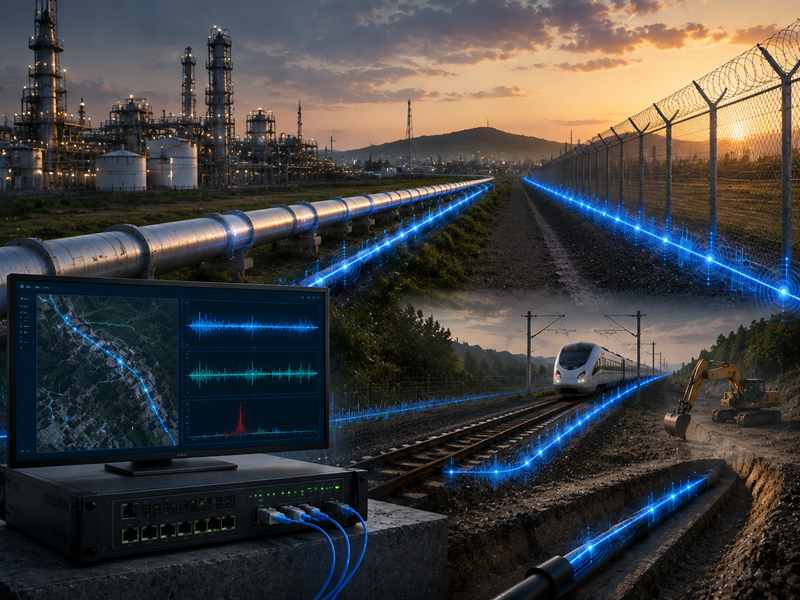
Fiber-based DAS systems deliver uninterrupted surveillance for industrial sites, capturing vibrations, trespassing and anomalous incidents via optical cables. To pick a suitable DAS solution, engineers assess monitoring range, installation constraints, signal processing capacity, system compatibility and project hazards to guarantee stable industrial safety. Critical Criteria to Evaluate Before Deploying DAS Equipment Selection Factor Key Evaluation Point Industrial Impact Detection Distance Fiber sensing length and coverage area Determines whether one system can protect the entire monitoring zone Location Accuracy Event positioning capability along fiber cable Helps security teams identify the exact abnormal point Installation Method Buried, fence-mounted, pipeline-mounted, or existing fiber network Influences detection sensitivity and maintenance requirements Environmental Adaptability Temperature, moisture, vibration, and outdoor conditions Ensures stable operation in harsh environments System Integration CCTV, VMS, access control, alarm platforms Improves response efficiency Choose distributed acoustic sensing solutions based on the physical traits of your monitoring site. Buried fiber intrusion systems need unique sensitivity adjustments unlike fence detection systems, as vibrations transfer in entirely different ways. How Does Detection Distance Affect DAS System Selection? Distributed acoustic sensing boasts long-range monitoring capability. Continuous fiber avoids massive discrete sensors deployed for linear industrial infrastructures. Extended sensing length may impair signal quality and event identification, hence DAS selection needs to fit actual monitoring scope. Application Area Typical Monitoring Distance Requirement Recommended DAS Configuration Industrial Perimeter Hundreds of meters to several kilometers Fiber optic perimeter intrusion detection system Pipeline Corridor Several kilometers to tens of kilometers Long-range buried fiber DAS system Railway Track Protection Continuous linear monitoring Trackside fiber sensing system Energy Infrastructure Large distributed facilities Multi-zone DAS monitoring system For example, buried cable intrusion detection applications often require fiber installation underground along protected routes. The system must identify activities such as digging, excavation, or unauthorized access near the cable path. In contrast, fence intrusion detection applications focus more on detecting climbing, cutting, and forced entry behaviors. The sensing algorithm needs to distinguish human activities from environmental vibrations such as wind or rain. What Types of DAS Systems Are Used in Industrial Applications? DAS monitoring schemes support customized layouts adapted to diverse deployment surroundings. Proper structural design optimizes detection efficiency while eliminating redundant system complexity. Buried Fiber Optic DAS System Buried fiber optic DAS systems are commonly used for underground protection applications. The sensing cable is installed below the ground surface, allowing the system to detect vibration changes caused by excavation, digging, or unauthorized approach. Typical applications include: Oil and gas pipelines Underground cable protection Utility corridors Restricted infrastructure zones Fence-Mounted DAS System Fence intrusion detection systems are designed for above-ground perimeter protection. Fiber optic cables can be installed along fences, barriers, or protective structures. When external force affects the fence, the DAS system analyzes vibration patterns and identifies possible intrusion events. Typical applications include: Industrial factories Energy facilities Warehouses Airports Restricted areas Existing Fiber Network DAS Integration Unutilized optical communication cables have been pre-installed within numerous industrial monitoring areas. A distributed acoustic sensing can potentially utilize existing fiber infrastructure to create additional monitoring capability without installing completely new sensing lines. This approach is suitable for: Railway communication networks Large industrial campuses Pipeline monitoring routes Transportation infrastructure How Does Detection Accuracy Influence DAS System Performance? A practical DAS system should provide: Real-time event detection Accurate location information Alarm classification Multi-zone management Integration with security platforms For large facilities, location accuracy directly affects response time. When an alarm occurs along a long pipeline or perimeter, security personnel need precise information to quickly locate the event. A DAS system with suitable signal processing can help separate different vibration patterns, such as: Human movement Vehicle activity Mechanical vibration Construction activity Environmental disturbance DAS System Comparison Based on Installation Method Installation Type Installation Location Main Detection Target Suitable Applications Buried Fiber Installation Underground along protected routes Digging, excavation, underground intrusion Pipelines, cables, utilities Fence Fiber Installation Mounted on fences or barriers Climbing, cutting, forced entry Factories, warehouses, facilities Surface Installation Ground surface or structures Vibration and abnormal activities Industrial zones Existing Fiber Network Integration Existing communication fiber Distributed vibration events Railway, energy, infrastructure Key Technical Parameters for Industrial DAS Selection Parameter Recommended Evaluation Range Application Consideration Fiber Sensing Distance Kilometer-level monitoring capability Suitable for large linear assets Detection Mode Vibration, intrusion, abnormal activity detection Select according to security objectives Position Accuracy Meter-level event localization Improves alarm response Communication Interface Ethernet, RS485, industrial protocols Supports system integration Working Environment Outdoor, underground, industrial conditions Determines protection design How Does DAS Integrate With Existing Security Systems? Modern industrial security systems rarely operate independently. A distributed acoustic sensing solution can be connected with: CCTV systems Video Management Systems (VMS) Access control platforms Central monitoring centers Alarm management software When DAS detects abnormal vibration, the system can automatically trigger linked security actions. For example: Fiber sensor detects abnormal vibration. DAS processor analyzes event characteristics. Alarm location is displayed on the monitoring platform. CCTV automatically focuses on the relevant area. Security personnel receive real-time notification. This integrated approach improves response speed and reduces dependence on manual patrol. Custom DAS Solution Configuration Reference Monitoring for Petroleum and Natural Gas Pipelines Pipeline infrastructures generally stretch for miles through isolated, hard-to-access terrains. Core monitoring demands cover the following aspects: Unauthorized excavation detection Pipeline corridor protection Long-distance continuous monitoring Centralized alarm management Industry practitioners frequently choose buried optical fiber DAS solutions, which realize long-distance monitoring without deploying numerous separate field detectors. Railway and Transportation Protection Continuous monitoring of rails, stations and exclusion zones is a fundamental demand for railway operation. The DAS monitoring system shall realize identification of the listed events: Trackside intrusion Unauthorized access Abnormal activities near railway zones Industrial Factory Perimeter Security Large factories often include: Production buildings Storage areas Material yards Restricted zones A perimeter intrusion detection system combined with DAS technology can provide continuous protection along fences and boundaries. DAS selection hinges on site conditions, risks and integration demands rather than mere hardware parameter comparison. Customized DAS variants fit different industrial sites to deliver round-the-clock stable monitoring and boost security efficiency.
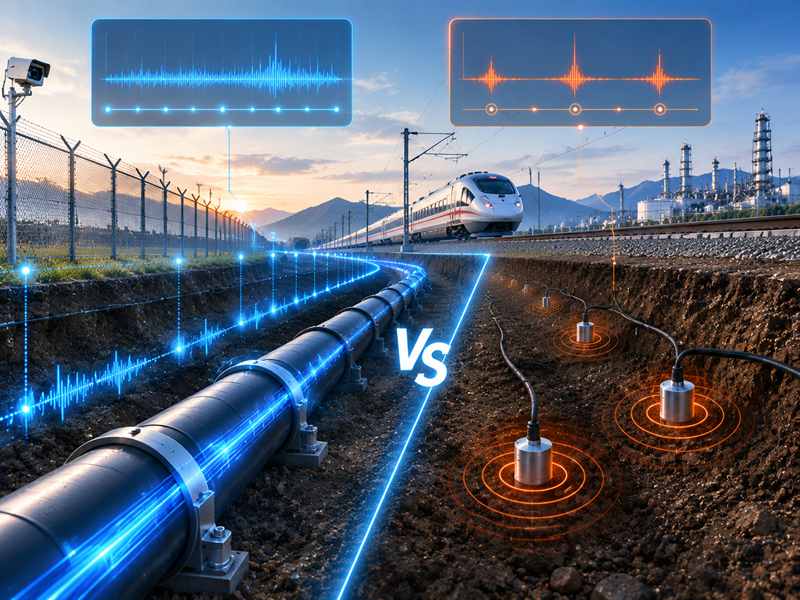
Geotechnical monitoring systems are widely deployed in civil infrastructure, energy facilities and security constructions. DAS realizes distributed sensing via optical fiber, while seismic transducers merely accomplish discrete vibration measurement. Engineering personnel conduct comprehensive comparisons of monitoring span, field installation constraints, detection resolution and interconnection requirements. DAS features flexible expandability for pipeline corridors, railway tracks and large-scale perimeter surveillance. DAS vs. Seismic Sensors: Key Distinctions Comparison Item DAS Seismic Sensors Detection Method Fiber-based vibration sensing Point vibration sensing Monitoring Range Kilometer-level continuous monitoring Limited sensor coverage Installation Optical fiber deployment Multiple sensor points Expansion Extend fiber routes Add more sensors Applications Pipeline, railway, perimeter Local vibration monitoring They differ greatly in sensing frameworks: seismic sensors collect single-point vibration data, yet DAS captures signals over the full fiber length. DAS minimizes on-site hardware through fiber distributed sensing, ideal for long-distance projects requiring full continuous coverage. Working Mechanism of DAS Technology in Geotechnical Monitoring A laser signal is transmitted through the fiber, and changes in reflected light caused by external vibration are analyzed by the sensing unit. When external activities create ground vibration, such as footsteps, digging equipment, vehicles, or mechanical operation, the vibration changes the optical characteristics of the fiber. The DAS analyzer processes these signals and determines: vibration location signal intensity movement pattern event classification alarm priority In practical applications, DAS is often installed with buried fiber cables, communication lines, or existing infrastructure routes. How Seismic Detectors Realize Ground Vibration Monitoring? Ground vibrational signals are acquired by seismic sensors equipped with mechanical-electrical sensing units. The physical displacement induced by wave transmission in strata or constructions is converted into electrical signals. These systems are commonly installed in: restricted areas construction monitoring zones geological observation points local security boundaries equipment foundations A typical seismic monitoring system requires multiple sensing units to achieve wider coverage. Seismic sensors perform excellently if monitoring points are fixed and clearly designated in advance. Installation Comparison Installation Factor Distributed Acoustic Sensing Seismic Sensors Field Devices Mainly sensing unit and optical fiber Multiple sensor nodes Power Requirement Fiber sensing cable itself is passive Each sensor requires power supply or battery Cable Deployment Continuous fiber route Separate cable connections for sensors Maintenance Access Centralized equipment maintenance Multiple field inspection points Suitable Environment Long-distance and harsh environments Local monitoring areas Remote sites like pipelines, borders, railways and underground passageways require fewer on-site devices for practical engineering deployment. DAS using buried fiber cables can track underground movements continuously, without installing electronic monitoring units all along the path. It is especially valuable in areas where: power supply is limited weather conditions are severe maintenance access is difficult monitoring distance is extensive Detection Capability Comparison Detection Scenario Distributed Acoustic Sensing Seismic Sensors Footstep Detection Suitable for continuous route monitoring Suitable near individual detection zones Excavation Activity Detects vibration characteristics along fiber Requires sensors near activity location Vehicle Movement Can identify moving vibration sources Detects vibration near sensor points Underground Intrusion Suitable for buried perimeter protection Depends on sensor distribution Long Boundary Monitoring Strong advantage due to distributed sensing Requires many sensor units DAS excels in scenarios where potential abnormal events cannot be pinpointed beforehand. Take multi-kilometer solar farm boundaries as an example; trespassing may occur anywhere. Distributed fiber monitoring delivers full-range coverage instead of limited fixed sensing spots. Application Comparison Pipeline Ground Monitoring Most pipelines traverse inaccessible remote regions. Unauthorized digging, mechanical collisions and outside interference all pose severe safety hazards. Buried fiber-based DAS tracks vibration variations across the entire pipeline alignment and issues early alerts for nearby destructive operations. Application Recommended Monitoring Approach Long-distance oil and gas pipeline DAS with fiber sensing cable Short pipeline section Seismic sensor network Pipeline crossing area Hybrid monitoring solution Remote pipeline corridor DAS-based centralized monitoring Railway Ground Monitoring Rail transit facilities demand uninterrupted surveillance covering tracks, tunnels and restricted regions. DAS is capable of distinguishing anomalous vibration waveforms triggered by the following factors: unauthorized access track-side intrusion excavation near railway lines abnormal ground activity Railway operators attach equal importance to threat identification and false alarm suppression. Signal classification and algorithm tuning differentiate regular train vibration from anomalous incidents. Perimeter and Border Ground Monitoring Large perimeter areas face challenges including: long monitoring distances difficult terrain limited patrol coverage blind spots DAS is compatible with fiber-optic perimeter intrusion detection systems to deliver uninterrupted boundary surveillance. For projects needing tailored layouts, bespoke buried fiber intrusion detection systems integrate fiber sensing, alarm control and monitoring software adapted to on-site environments. Operating Cost Comparison Industrial engineering assessments cover equipment expenditure as well as maintenance demands, replacement cycles and scalable expansion performance. Though DAS entails greater upfront capital outlay, it cuts on-site hardware quantities and long-term upkeep costs versus seismic sensor arrays. For large infrastructure projects, the cost evaluation should focus on monitoring efficiency rather than only equipment price. Environmental Adaptability Environmental Condition DAS Performance Seismic Sensor Performance Remote Outdoor Areas Strong suitability due to passive fiber sensing Requires sensor maintenance access Electromagnetic Interference Fiber is naturally resistant Electronic sensors may require protection Harsh Weather Suitable with proper cable protection Sensor housing protection required Underground Installation Effective with buried fiber routes Requires planned sensor locations Large Temperature Variation Fiber-based sensing remains stable Sensor components may require compensation Signal Analysis Capability It is necessary for ground monitoring facilities to classify diverse vibrational waveforms instead of basic motion detection. Continuous full-length fiber signal analysis supported by DAS enhances the accuracy of event classification and spatial localization. Key Signal Analysis Capabilities: Continuous Vibration Monitoring Detects vibration changes across long-distance fiber routes without relying on multiple sensing points. Multi-Point Waveform Analysis Analyzes vibration frequency, intensity, and waveform characteristics to classify different activities. Real-Time Event Classification Helps distinguish between normal movement, vehicle vibration, construction activities, and unauthorized intrusion. Accurate Event Localization Calculates alarm positions based on fiber distance, allowing operators to quickly identify the affected area. Large-Area Monitoring Capability Supports continuous protection for pipelines, railways, buried cables, and extensive perimeter zones. DAS systems analyze vibration patterns along the fiber route, allowing operators to determine not only whether an event occurs but