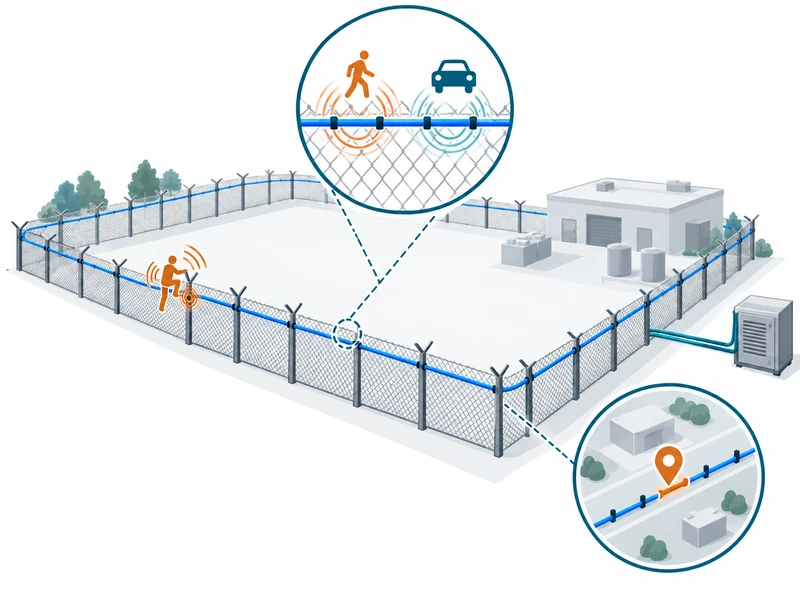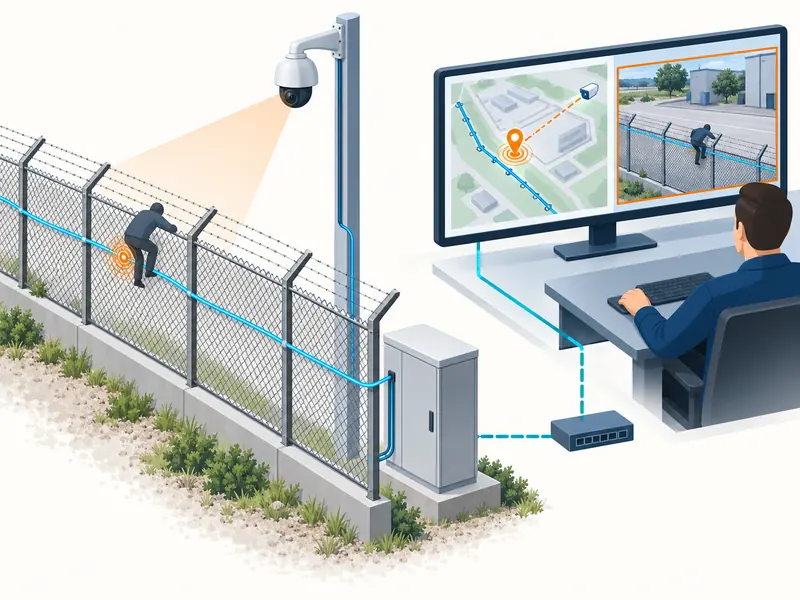

A useful DAS configuration backup must identify the equipment and software it belongs to, preserve the settings needed for the approved service and have a tested restoration procedure. Saving an unidentified export file is insufficient. The site needs evidence that the backup can restore the correct route mapping, alarm behavior and supported integrations without introducing an unnoticed coverage change.
For a distributed acoustic sensing system, configuration is part of the security design. Cable distance, zone boundaries and response instructions connect optical measurements to physical locations. This guide concentrates on backup and restoration discipline rather than repeating routine maintenance tasks.
What Belongs in the Configuration Record?
Start with the supplier’s supported export scope, then identify the dependencies that the export does not contain. An instrument file may preserve sensing parameters while leaving platform rules, camera links or user permissions elsewhere. List those separately managed dependencies beside the DAS export so restoration covers the accepted alarm workflow.
Document software versions and hardware identities alongside the backup. A file accepted by one version may need conversion or review before another version can use it correctly. Do not assume that a successful import proves semantic compatibility.
| Configuration Area | Typical Dependency | Recovery Check |
| Sensing settings | Instrument model and software | Approved event behavior |
| Route mapping | As-built fiber and slack locations | Physical-to-optical correspondence |
| Zones and labels | Current site boundaries | Correct operator destination |
| Platform integration | Endpoint and field definitions | Delivery and event lifecycle |
| Camera association | Current camera inventory | Correct live and recorded view |
Treat the table as a planning aid, not a promise that every DAS product exports all of these items. Ask the supplier to identify what is included, omitted or managed separately. Record manual recovery steps where the supported tool does not provide an export.

How Should Backups Be Named and Versioned?
Use a consistent identifier that ties the file to the site, device, software version and approved change record. Keep the creation time and responsible person in the accompanying manifest. A filename such as latest-final provides little help during an urgent recovery.
Separate the last approved baseline from a temporary working configuration. Technicians may export a file while testing settings that should never become the operating standard. The manifest should make approval status and intended use explicit.
- Identify the site, interrogator and associated platform.
- Record the export time using an unambiguous time basis.
- Record software and firmware versions where relevant.
- Reference the route drawing and change request.
- State whether the configuration is approved, under test or superseded.
- Describe the checks performed after the configuration was applied.
Keep earlier approved versions according to the site’s retention policy. They can support rollback and explain when a behavior changed. Retaining history does not mean every old file remains suitable for the current cable route.
When Should a New Backup Be Taken?
Take a baseline after commissioning acceptance and create another approved version after a verified change. Capture the pre-change state before beginning an adjustment when the supported procedure permits it. This gives the team a defined starting point for recovery or comparison.
Changes worth reviewing include zone edits, fiber repairs, camera reassignment and integration updates. The guide to DAS alarm zoning explains why configuration details affect the response workflow. A small label change can matter if operators use it to select an access route.
Are Scheduled Exports Enough?
Scheduled exports can reduce the risk of missing a recent change where the product supports them. They do not replace approval, identification or restoration testing. An automated process can repeatedly save an incorrect or incomplete configuration.
Monitor whether exports complete and whether the resulting files are accessible to the authorized recovery team. Check the supported method for detecting a corrupt or empty file. Do not equate a scheduled task’s existence with a working backup process.
Where Should Recovery Files Be Kept?
Store them in an approved location with access appropriate to their contents and operational importance. A copy held only on the device being replaced may be unavailable when needed. The site should decide how independent recovery copies are maintained and who can retrieve them.
Configuration exports can contain sensitive connection details or references to protected infrastructure. Handle them under the organization’s information-security rules. Do not place them in general project folders merely because they are small files.
Record how recovery personnel gain authorized access during an outage. A well-protected backup is useful only if the responsible team can obtain it when the primary service is unavailable. Test that access through the approved process without distributing unnecessary copies.
How Can Restoration Be Tested Without Disrupting Protection?
Use a supplier-supported test environment, spare device or coordinated maintenance window that matches the recovery objective. Define temporary operating arrangements before any live interruption. The test should verify the restored service rather than merely demonstrate that a file imports.
The installation and commissioning guide provides context for system setup. Restoration adds another question: does the recovered configuration reproduce the accepted behavior on the current hardware and route? Keep that distinction visible in the test record.
- Select an approved backup and verify its manifest.
- Confirm compatibility with the restoration target.
- Document the current state and the agreed rollback route.
- Import or reconstruct settings using the supported procedure.
- Check route mapping, zones and system health.
- Run representative alarm and fault tests.
- Verify platform delivery and operator presentation.
- Record the result and formally return the service to operations.
Where a spare device cannot reproduce the full field route, state what the test did and did not cover. File readability and software compatibility are useful evidence but do not establish installed detection performance. Complete the remaining field checks when the operating arrangement permits.

Which Settings Need Special Attention After a Restore?
Review settings tied to the physical installation and the current receiving systems. Fiber repairs can change optical distances, while camera replacements can change associations. A technically valid historical backup may therefore restore outdated operational information.
For central security management, check the supported event rules and connection details against the current integration record. Verify alarm creation, acknowledgment and clearing where those functions are in scope. A restored alarm that never clears can create a different operating problem from a missing alarm.
Also review time synchronization and temporary test suppressions. Restoring a maintenance configuration can unintentionally leave a section in a limited operating state. The recovery checklist should explicitly identify any approved exceptions still in place.
How Should Changes Be Compared and Approved?
Describe the intended effect before editing settings, then record the actual differences and validation evidence. Use supported comparison tools where available, or maintain a structured change sheet. Avoid relying on memory about which fields a technician adjusted.
An illustrative change record might connect a repaired fiber section to revised distance markers and updated camera links. The acceptance evidence would show alarms from representative locations reaching the intended operator view. That is more informative than a note saying configuration updated.
Use the broader perimeter acceptance checklist to choose proportionate checks. A change affecting one label does not require the same evidence as a replacement interrogator. The test scope should follow the possible operational consequences.
What Makes the Recovery Plan Ready for Handover?
Assign ownership for exporting, approving, storing and testing backups. Include supplier contacts, compatibility notes and the sequence for returning the system to service. Make the current approved baseline easy to identify without exposing unnecessary configuration details.
Review the plan after significant route or platform changes and after any real recovery. Record lessons about missing files, unclear ownership or unexpected compatibility issues. A backup becomes an operational safeguard when a responsible team can restore and verify the required service from it.